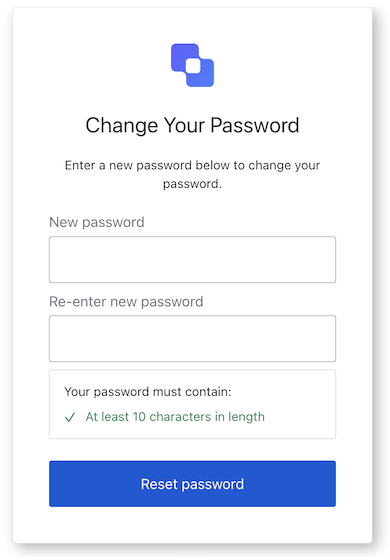
Import and instantiate the Reset Password screen class
import ResetPassword from '@auth0/auth0-acul-js/reset-password';const resetPasswordManager = new ResetPassword();// SDK Properties return a string, number or boolean// ex. "signup-id"resetPasswordManager.screen.name;// SDK Methods return an object or array// ex. { login: "/login_url"} resetPasswordManager.screenLinks();
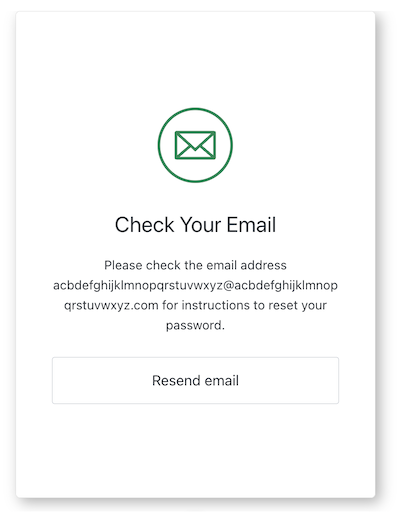
The Reset Password Email screen class is part of the Identifier First Authentication flow and sends the user email instructions to reset their password.
Import and instantiate the Reset Password Email screen class
import ResetPasswordEmail from '@auth0/auth0-acul-js/reset-password-email';const resetPasswordEmailManager = new ResetPasswordEmail();// SDK Properties return a string, number or boolean// ex. "signup-id"resetPasswordEmailManager.screen.name;// SDK Methods return an object or array// ex. { login: "/login_url"} resetPasswordEmailManager.screenLinks();
This method resends an email with instructions to reset their password. .
import ResetPasswordEmail from '@auth0/auth0-acul-js/reset-password-email';const resetPasswordEmail = new ResetPasswordEmail();resetPasswordEmail.resendEmail();
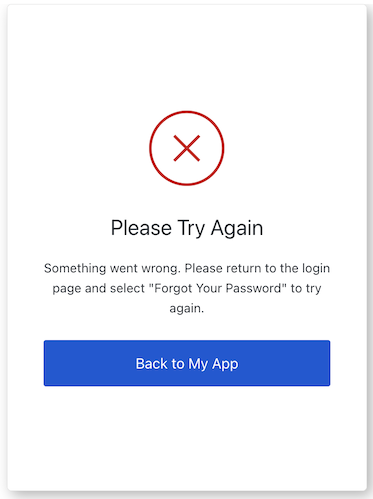
The Reset Password Error screen class is part of the Identifier First Authentication flow and sends the user back to your application.
Import and instantiate the Reset Password Error screen class
import ResetPasswordError from '@auth0/auth0-acul-js/reset-password-error';const resetPasswordErrorManager = new ResetPasswordError();// SDK Properties return a string, number or boolean// ex. "signup-id"resetPasswordErrorManager.screen.name;// SDK Methods return an object or array// ex. { login: "/login_url"} resetPasswordErrorManager.screenLinks();
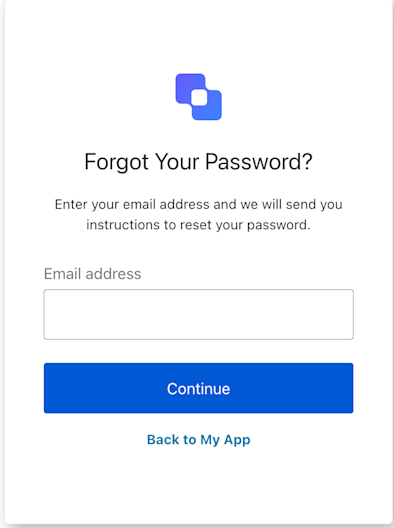
The Reset Password Request screen class is part of the Identifier First Authentication flow and prompts the user for an email to send reset password instructions.
Import and instantiate the Reset Password Request screen class
import ResetPasswordRequest from '@auth0/auth0-acul-js/reset-password-request';const resetPasswordRequestManager = new ResetPasswordRequest();// SDK Properties return a string, number or boolean// ex. "signup-id"resetPasswordRequestManager.screen.name;// SDK Methods return an object or array// ex. { login: "/login_url"} resetPasswordRequestManager.screenLinks();
This method takes the user back your application to login.
import ResetPasswordRequest from '@auth0/auth0-acul-js/reset-password-request';const resetPasswordRequest = new ResetPasswordRequest();resetPasswordRequest.backToLogin();
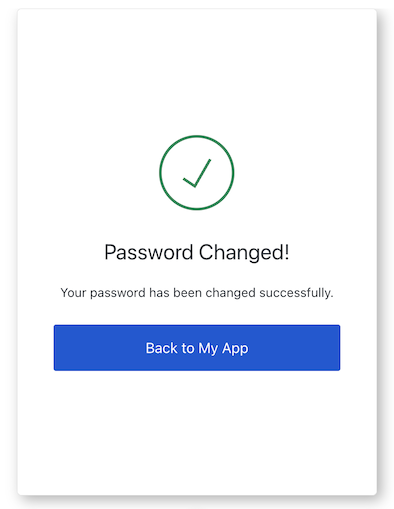
The Reset Password Success screen class is part of the Identifier First Authentication flow and confirms the password change and returns the user to your application.
Import and instantiate the Reset Password Success screen class
import ResetPasswordSuccess from '@auth0/auth0-acul-js/reset-password-success';const resetPasswordSuccessManager = new ResetPasswordSuccess();// SDK Properties return a string, number or boolean// ex. "signup-id"resetPasswordSuccessManager.screen.name;// SDK Methods return an object or array// ex. { login: "/login_url"} resetPasswordSuccessManager.screenLinks();
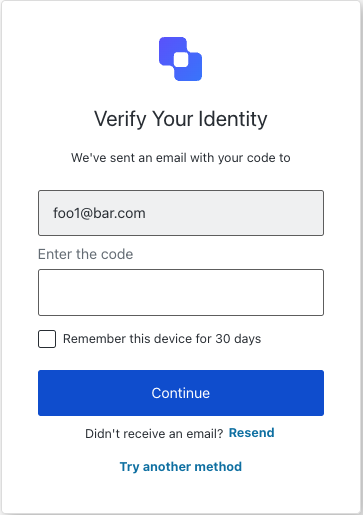
The Reset Password Email Challenge screen class provides methods associated with the reset-password-mfa-email-challenge screen.
Import and instantiate the Reset Password MFA Email Challenge screen class:
import ResetPasswordMfaEmailChallenge from '@auth0/auth0-acul-js/reset-password-mfa-email-challenge';const resetPasswordMfaEmailChallenge = new ResetPasswordMfaEmailChallenge();// SDK Properties return a string, number or boolean// ex. "login-id"mfaOtpChallenge.screen.name;// SDK Methods return an object or arrayawait resetPasswordMfaEmailChallenge.continue({ code: '123456', rememberDevice: true,});
import ResetPasswordMfaEmailChallenge from '@auth0/auth0-acul-js/reset-password-mfa-email-challenge';const resetPasswordMfaEmailChallenge = new ResetPasswordMfaEmailChallenge();await resetPasswordMfaEmailChallenge.resendCode();
This method allows the user to try another MFA method.
import ResetPasswordMfaEmailChallenge from '@auth0/auth0-acul-js/reset-password-mfa-email-challenge';const resetPasswordMfaEmailChallenge = new ResetPasswordMfaEmailChallenge();await resetPasswordMfaEmailChallenge.tryAnotherMethod();
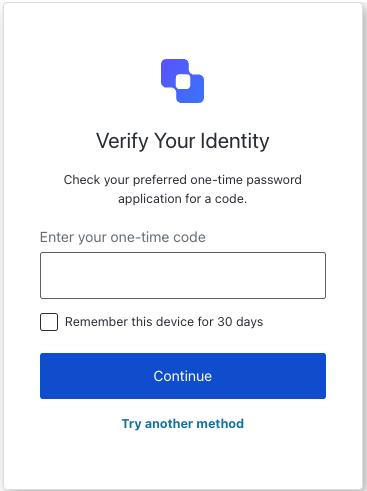
The Reset Password MFA OTP Challenge screen class provides methods associated with the reset-password-mfa-otp-challenge screen.
Import and instantiate the Reset Password MFA OTP Challenge screen class:
import ResetPasswordMfaOtpChallenge from '@auth0/auth0-acul-js/reset-password-mfa-otp-challenge';const resetPasswordMfaOtpChallenge = new ResetPasswordMfaOtpChallenge();// SDK Properties return a string, number or boolean// ex. "login-id"resetPasswordMfaOtpChallenge.screen.name;// SDK Methods return an object or arrayawait resetPasswordMfaOtpChallenge.continue({ code: '123456',});
This method allows the user to try another MFA method.
import ResetPasswordMfaOtpChallenge from '@auth0/auth0-acul-js/reset-password-mfa-otp-challenge';const resetPasswordMfaOtpChallenge = new ResetPasswordMfaOtpChallenge();await resetPasswordMfaOtpChallenge.tryAnotherMethod();
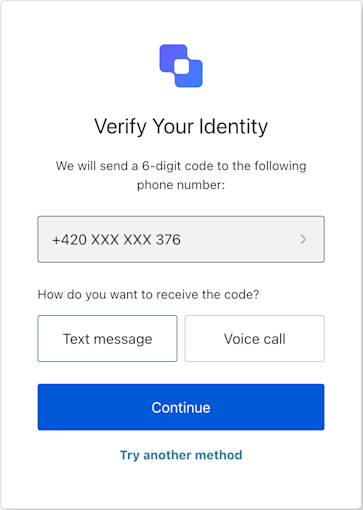
The Reset Password MFA Phone Challenge screen class provides methods associated with the reset-password-mfa-phone-challenge screen.
Import and instantiate the Reset Password MFA Phone Challenge screen class:
import ResetPasswordMfaPhoneChallenge from '@auth0/auth0-acul-js/reset-password-mfa-phone-challenge';const resetPasswordMfaPhoneChallenge = new ResetPasswordMfaPhoneChallenge();// SDK Properties return a string, number or boolean// ex. "login-id"resetPasswordMfaPhoneChallenge.screen.name;// SDK Methods return an object or arrayawait resetPasswordMfaPhoneChallenge.continue();
This method allows the user to try another method.
const resetPasswordMfaPhoneChallenge = new ResetPasswordMfaPhoneChallenge();try { // Assuming the current screen was for SMS await resetPasswordMfaPhoneChallenge.tryAnotherMethod({ type: 'sms' }); // Redirects to authenticator selection screen on success} catch (error) { console.error("Failed to switch MFA method:", error);}
Parameter
Type
Required
Description
type
sms | voice
Yes
define the method to receive the verification code.
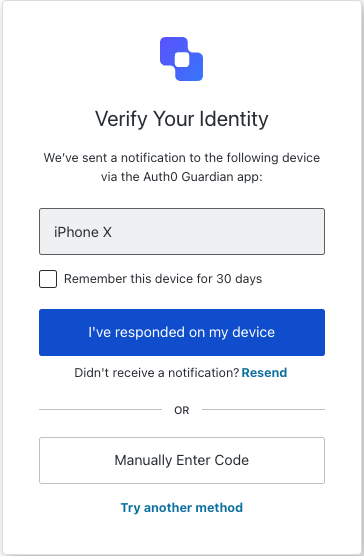
Reset Password MFA Push Challenge Push screen class
The Reset Password MFA Push Challenge Push screen class provides methods associated with the reset-password-mfa-push-challenge-push screen. This screen is shown when a push notification has been sent to the user’s device during password reset
Import and instantiate the Reset Password MFA Push Challenge Push screen class:
import ResetPasswordMfaPushChallengePush from '@auth0/auth0-acul-js/reset-password-mfa-push-challenge-push';const resetPasswordMfaPushChallengePush = new ResetPasswordMfaPushChallengePush();// SDK Properties return a string, number or boolean// ex. "login-id"resetPasswordMfaPushChallengePush.screen.name;// SDK Methods return an object or arrayawait resetPasswordMfaPushChallengePush.continue();
This method continues with the push notification challenge.
import ResetPasswordMfaPushChallengePush from '@auth0/auth0-acul-js/reset-password-mfa-push-challenge-push';const resetPasswordMfaPushChallengePush = new ResetPasswordMfaPushChallengePush();await resetPasswordMfaPushChallengePush.continue();
This method allows the user to enter the verification code manually.
import ResetPasswordMfaPushChallengePush from '@auth0/auth0-acul-js/reset-password-mfa-push-challenge-push';const resetPasswordMfaPushChallengePush = new ResetPasswordMfaPushChallengePush();await resetPasswordMfaPushChallengePush.enterCodeManually();
import ResetPasswordMfaPushChallengePush from '@auth0/auth0-acul-js/reset-password-mfa-push-challenge-push';const resetPasswordMfaPushChallengePush = new ResetPasswordMfaPushChallengePush();await resetPasswordMfaPushChallengePush.resendPushNotification();
This method allows the user to try another method.
import ResetPasswordMfaPushChallengePush from '@auth0/auth0-acul-js/reset-password-mfa-push-challenge-push';const resetPasswordMfaPushChallengePush = new ResetPasswordMfaPushChallengePush();await resetPasswordMfaPushChallengePush.tryAnotherMethod();
Reset Password MFA Recovery Code Challenge screen class
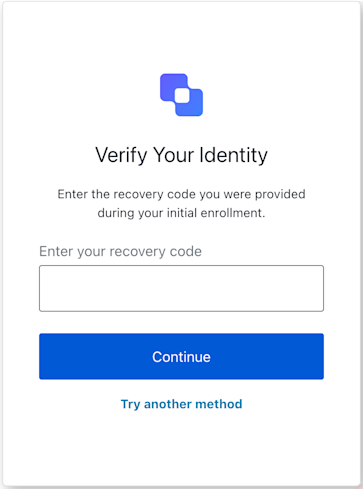
The Reset Password MFA Recovery Code Challenge screen class provides methods associated with the reset-password-mfa-recovery-code-challenge screen.
Import and instantiate the Reset Password MFA Recovery Code Challenge screen class:
import ResetPasswordMfaRecoveryCodeChallenge from '@auth0/auth0-acul-js/reset-password-mfa-recovery-code-challenge';const resetPasswordMfaRecoveryCodeChallengeManager = new ResetPasswordMfaRecoveryCodeChallenge();
import ResetPasswordMfaRecoveryCodeChallenge from '@auth0/auth0-acul-js/reset-password-mfa-recovery-code-challenge';const resetPasswordMfaRecoveryCodeChallenge = new ResetPasswordMfaRecoveryCodeChallenge();await resetPasswordMfaRecoveryCodeChallenge.continue();
This method allows the user to try another method.
import ResetPasswordMfaRecoveryCodeChallenge from '@auth0/auth0-acul-js/reset-password-mfa-recovery-code-challenge';const resetPasswordMfaRecoveryCodeChallenge = new ResetPasswordMfaRecoveryCodeChallenge();await resetPasswordMfaRecoveryCodeChallenge.tryAnotherMethod();
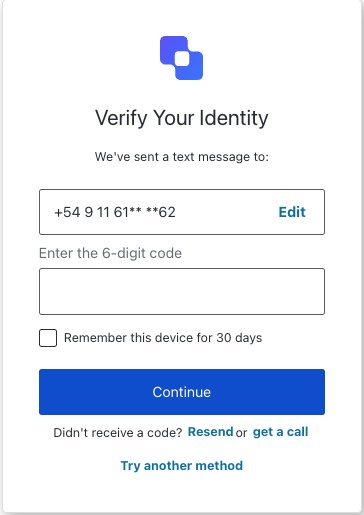
The Reset Password MFA SMS Challenge screen class provides methods associated with the reset-password-mfa-sms-challenge screen.
Import and instantiate the Reset Password MFA SMS Challenge screen class:
import ResetPasswordMfaSmsChallenge from '@auth0/auth0-acul-js/reset-password-mfa-sms-challenge';const resetPasswordMfaSmsChallenge = new ResetPasswordMfaSmsChallenge();// SDK Properties return a string, number or boolean// ex. "login-id"mfaOtpEnrollmentQr.screen.name;// SDK Methods return an object or arrayawait resetPasswordMfaSmsChallenge.resendCode();
This method submits the action to switch to voice call verification.
import ResetPasswordMfaSmsChallenge from '@auth0/auth0-acul-js/reset-password-mfa-sms-challenge';const resetPasswordMfaSmsChallenge = new ResetPasswordMfaSmsChallenge();await resetPasswordMfaSmsChallenge.getACall();
import ResetPasswordMfaSmsChallenge from '@auth0/auth0-acul-js/reset-password-mfa-sms-challenge';const resetPasswordMfaSmsChallenge = new ResetPasswordMfaSmsChallenge();await resetPasswordMfaSmsChallenge.resendCode();
This method allows the user to try another MFA method.
import ResetPasswordMfaSmsChallenge from '@auth0/auth0-acul-js/reset-password-mfa-sms-challenge';const resetPasswordMfaSmsChallenge = new ResetPasswordMfaSmsChallenge();await resetPasswordMfaSmsChallenge.tryAnotherMethod();
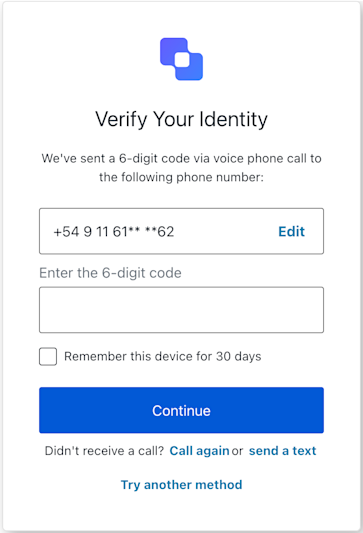
The Reset Password MFA Voice Challenge screen class provides methods associated with the reset-password-mfa-voice-challenge screen.
Import and instantiate the Reset Password MFA Voice Challenge screen class:
import ResetPasswordMfaVoiceChallenge from '@auth0/auth0-acul-js/reset-password-mfa-voice-challenge';const resetPasswordMfaVoiceChallenge = new ResetPasswordMfaVoiceChallenge();
This method continues with the voice challenge using the provided code.
import ResetPasswordMfaVoiceChallenge from '@auth0/auth0-acul-js/reset-password-mfa-voice-challenge';const resetPasswordMfaVoiceChallenge = new ResetPasswordMfaVoiceChallenge();resetPasswordMfaVoiceChallenge.continue({ code: '123456',});
import ResetPasswordMfaVoiceChallenge from '@auth0/auth0-acul-js/reset-password-mfa-voice-challenge';const resetPasswordMfaVoiceChallenge = new ResetPasswordMfaVoiceChallenge();resetPasswordMfaVoiceChallenge.resendCode();
This method switches verification from voice call to SMS.
import ResetPasswordMfaVoiceChallenge from '@auth0/auth0-acul-js/reset-password-mfa-voice-challenge';const resetPasswordMfaVoiceChallenge = new ResetPasswordMfaVoiceChallenge();resetPasswordMfaVoiceChallenge.switchToSms();
This method allows the user to try another MFA method.
import ResetPasswordMfaVoiceChallenge from '@auth0/auth0-acul-js/reset-password-mfa-voice-challenge';const resetPasswordMfaVoiceChallenge = new ResetPasswordMfaVoiceChallenge();resetPasswordMfaVoiceChallenge.tryAnotherMethod();
Reset Password MFA WebAuthn Platform Challenge screen class
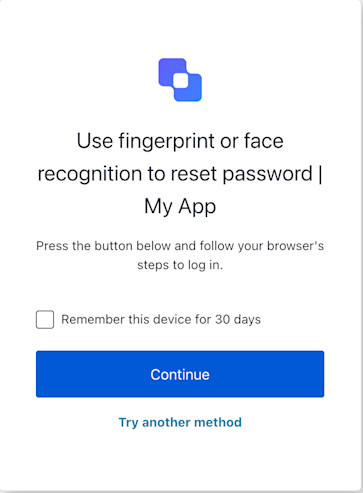
The Reset Password MFA WebAuth Platform Challenge screen class provides methods associated with the reset-password-mfa-webauthn-platform-challenge screen.
Import and instantiate the Reset Password MFA WebAuth Platform Challenge screen class:
import ResetPasswordMfaWebAuthnPlatformChallenge from '@auth0/auth0-acul-js/reset-password-mfa-webauthn-platform-challenge';const resetPasswordMfaWebAuthnPlatformChallenge = new ResetPasswordMfaWebAuthnPlatformChallenge();
This method initiates the WebAuthn platform authenticator challenge by calling navigator.credentials.get() using the challenge options provided in screen.publicKey.
const resetPasswordMfaWebAuthnPlatformChallenge = new ResetPasswordMfaWebAuthnPlatformChallenge();try { await resetPasswordMfaWebAuthnPlatformChallenge.continueWithPasskey({ rememberDevice: true // if user checked the box and sdk.screen.showRememberDevice is true }); // On success, Auth0 handles redirection.} catch (error) { console.error("Platform authenticator verification failed:", error); // If it's a WebAuthn API error (DOMException), report it if (error instanceof DOMException && error.name && error.message) { // DOMException check await resetPasswordMfaWebAuthnPlatformChallenge.reportBrowserError({ error: { name: error.name, message: error.message } }); } // Check resetPasswordMfaWebAuthnPlatformChallenge.transaction.errors for server-side validation messages if the page reloads.}
Parameter
Type
Required
Description
rememberDevice
boolean
No
Remember the browser for future MFA challenges. Corresponds to the rememberBrowser form field. This is only applicable if screen.showRememberDevice is true.
This method reports a browser-side error that occurred during the navigator.credentials.get() API call. This is used to inform Auth0 about issues like user cancellation (NotAllowedError), timeout, or other WebAuthn API specific errors. It submits the error details with action: "showError::{errorDetailsJsonString}".
const resetPasswordMfaWebAuthnPlatformChallenge = new ResetPasswordMfaWebAuthnPlatformChallenge();// In your UI component, in the catch block of navigator.credentials.get():// } catch (webAuthnError) {// if (webAuthnError instanceof DOMException) {// await resetPasswordMfaWebAuthnPlatformChallenge.reportBrowserError({// error: { name: webAuthnError.name, message: webAuthnError.message }// });// } else {// // Handle other types of errors// }// }
Parameter
Type
Required
Description
error
message: string | name: string
Yes
The error object from the WebAuthn API (navigator.credentials.get()) to be reported.
This method allows the user to opt-out of the WebAuthn platform challenge and select a different MFA method.
const resetPasswordMfaWebAuthnPlatformChallenge = new ResetPasswordMfaWebAuthnPlatformChallenge(); // In your UI component, when a "Try Another Method" button is clicked:try { await resetPasswordMfaWebAuthnPlatformChallenge.tryAnotherMethod(); // On success, Auth0 handles redirection to the MFA factor selection screen.} catch (error) { console.error("Failed to switch MFA method:", error);}
Reset Password MFA WebAuthn Roaming Challenge screen class
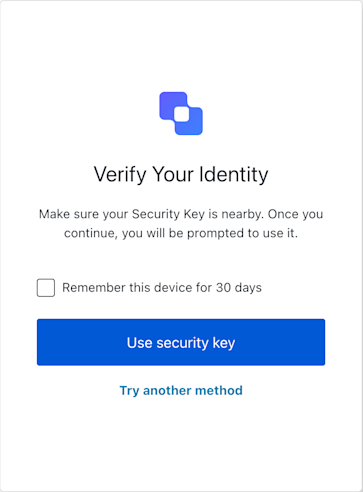
The Reset Password MFA WebAuth Roaming Challenge screen class provides methods associated with the reset-password-mfa-webauthn-roaming-challenge screen.
Import and instantiate the Reset Password MFA WebAuth Roaming Challenge screen class:
import ResetPasswordMfaWebAuthnRoamingChallenge from '@auth0/auth0-acul-js/reset-password-mfa-webauthn-roaming-challenge';const resetPasswordMfaWebAuthnRoamingChallenge = new ResetPasswordMfaWebAuthnRoamingChallenge();
This method reports a client-side WebAuthn API error (from navigator.credentials.get()) to Auth0. This method is intended to be called when useSecurityKey (or a direct call to navigator.credentials.get()) fails due to a standard WebAuthn API error (e.g., NotAllowedError if the user cancels, NotFoundError, SecurityError, timeout). It submits the error details with action: "showError::{errorDetailsJsonString}" and an empty response.
const resetPasswordMfaWebAuthnRoamingChallenge = new ResetPasswordMfaWebAuthnRoamingChallenge(); // In your UI, after catching an error from `resetPasswordMfaWebAuthnRoamingChallenge.useSecurityKey()` or `navigator.credentials.get()`:if (webAuthnError instanceof DOMException) { await resetPasswordMfaWebAuthnRoamingChallenge.showError({ error: { name: webAuthnError.name, message: webAuthnError.message }, rememberDevice: userWantsToRemember // if applicable });}
Parameter
Type
Required
Description
error
message: string | name: string
Yes
The error object from the WebAuthn API (navigator.credentials.get()) to be reported.
This method allows the user to opt-out of the WebAuthn platform challenge and select a different MFA method.
const resetPasswordMfaWebAuthnRoamingChallenge = new ResetPasswordMfaWebAuthnRoamingChallenge(); // When the user clicks a "Try Another Way" button:await resetPasswordMfaWebAuthnRoamingChallenge.tryAnotherMethod({ rememberDevice: userWantsToRemember });// Auth0 handles redirection to the MFA selection screen.
Parameter
Type
Required
Description
rememberDevice
boolean
No
Remember the browser for future MFA challenges. Corresponds to the rememberBrowser form field. This is only applicable if screen.showRememberDevice is true.
This method initiates the WebAuthn security key challenge. This method internally calls navigator.credentials.get() using the challenge options provided in this.screen.publicKey. If the user successfully authenticates with their security key, the resulting PublicKeyCredential is stringified and submitted to Auth0 with action: "default".
// In your UI component for the reset-password-mfa-webauthn-roaming-challenge screen:const resetPasswordMfaWebAuthnRoamingChallenge = new ResetPasswordMfaWebAuthnRoamingChallenge();async function handleSecurityKeyAuth() { try { const userWantsToRemember = document.getElementById('remember-device-checkbox')?.checked || false; await resetPasswordMfaWebAuthnRoamingChallenge.useSecurityKey({ rememberDevice: sdk.screen.showRememberDevice && userWantsToRemember }); // On success, Auth0 typically handles redirection. } catch (err) { console.error("Security key authentication failed:", err); // If it's a WebAuthn API error, report it to Auth0 if (err.name && err.message) { // Basic check for DOMException-like error try { await resetPasswordMfaWebAuthnRoamingChallenge.showError({ error: { name: err.name, message: err.message } }); } catch (reportError) { console.error("Failed to report WebAuthn error:", reportError); } } // Update UI to inform the user, e.g., "Security key verification failed. Please try again." // Also check `resetPasswordMfaWebAuthnRoamingChallenge.transaction.errors` if the page might have reloaded with an error message from the server. }}
Parameter
Type
Required
Description
rememberDevice
boolean
No
Remember the browser for future MFA challenges. Corresponds to the rememberBrowser form field. This is only applicable if screen.showRememberDevice is true.